Introduction
School nurses today juggle more than clinic visits. They track medications, chase down expired forms, document every interaction, and answer parent questions, often across systems that don't talk to each other.
A 2024 analysis of US school nurse survey data found that more than half of nurses worked over 40 hours in a typical week, with documentation among their core responsibilities in the 2021-2022 school year.
That workload doesn't disappear with a new app. It shows up in daily friction: finding a student's allergy history, logging a medication dose, or following up with a family who never returned a form.
This article breaks down what an electronic health record actually is, where it delivers real value for school health teams, what happens when records stay fragmented, and how districts can evaluate a system before signing a contract.
Key Takeaways
- An EHR is a structured, longitudinal digital record that authorized users can access and update over time.
- Well-designed systems improve nurse efficiency, medication oversight, family communication, and visibility into student health needs.
- The strongest school health platforms support nurse workflows, not just document storage.
- Privacy, role-based access, audit trails, and interoperability deserve scrutiny before adoption.
- Real value depends on consistent use, staff training, and ongoing review, not the software alone.
What Is an Electronic Health Record? (Brief Context)
An electronic health record (EHR) is a secure, structured digital record of health information over time. It supports authorized care decisions and day-to-day actions in hospitals, clinics, community settings, and school health offices—with data and workflows that change by setting.
Not the Same as a Scanned Folder
A folder of PDFs or a shared spreadsheet isn't an EHR, no matter how organized it looks. A genuine EHR includes:
- Structured, searchable fields instead of static images or free text
- Task management that flags incomplete visits, rechecks, or expiring authorizations
- Role-based permissions tied to legitimate educational interest
- Timestamps and audit trails documenting who accessed or changed a record
EHR vs. EMR: A Practical Distinction
The terms get used interchangeably, but they're not identical. According to the Office of the National Coordinator for Health Information Technology, an EMR is essentially a digital chart within one practice or organization. It doesn't travel easily beyond that setting.
An EHR is built to move with the patient—or, in schools, the student—so authorized staff across settings can consult and update it. Vendors don't always apply this distinction consistently; clarify it with any provider you evaluate.
What School Health Records Actually Contain
In a school setting, this typically includes:
- Student demographics and emergency contacts
- Conditions, allergies, and care plans
- Immunization and screening records
- Clinic visit documentation and medication authorizations
- Administration records and outreach notes
- Parent-submitted forms and follow-up documentation
The point is continuity, safety, and coordination—not digitization for its own sake. Schools should collect and share only what is necessary for legitimate, authorized purposes.
Key Advantages of Electronic Health Records
Benefits shouldn't be judged by feature lists. They should be measured by what changes day to day: time saved, documentation completeness, medication follow-up, and how much a school still depends on paper, fax, spreadsheets, or scattered emails.
Improved Nurse Efficiency and Information Visibility
A centralized, searchable record cuts the time nurses spend hunting for forms or reconstructing a visit history from memory. Relevant metrics to track include:
- Documentation time
- Record-retrieval time
- Volume of incomplete tasks piling up
This matters most in:
- Busy schools with high daily visit volume
- Multi-school districts managing records across sites
- Settings with limited nursing capacity per building
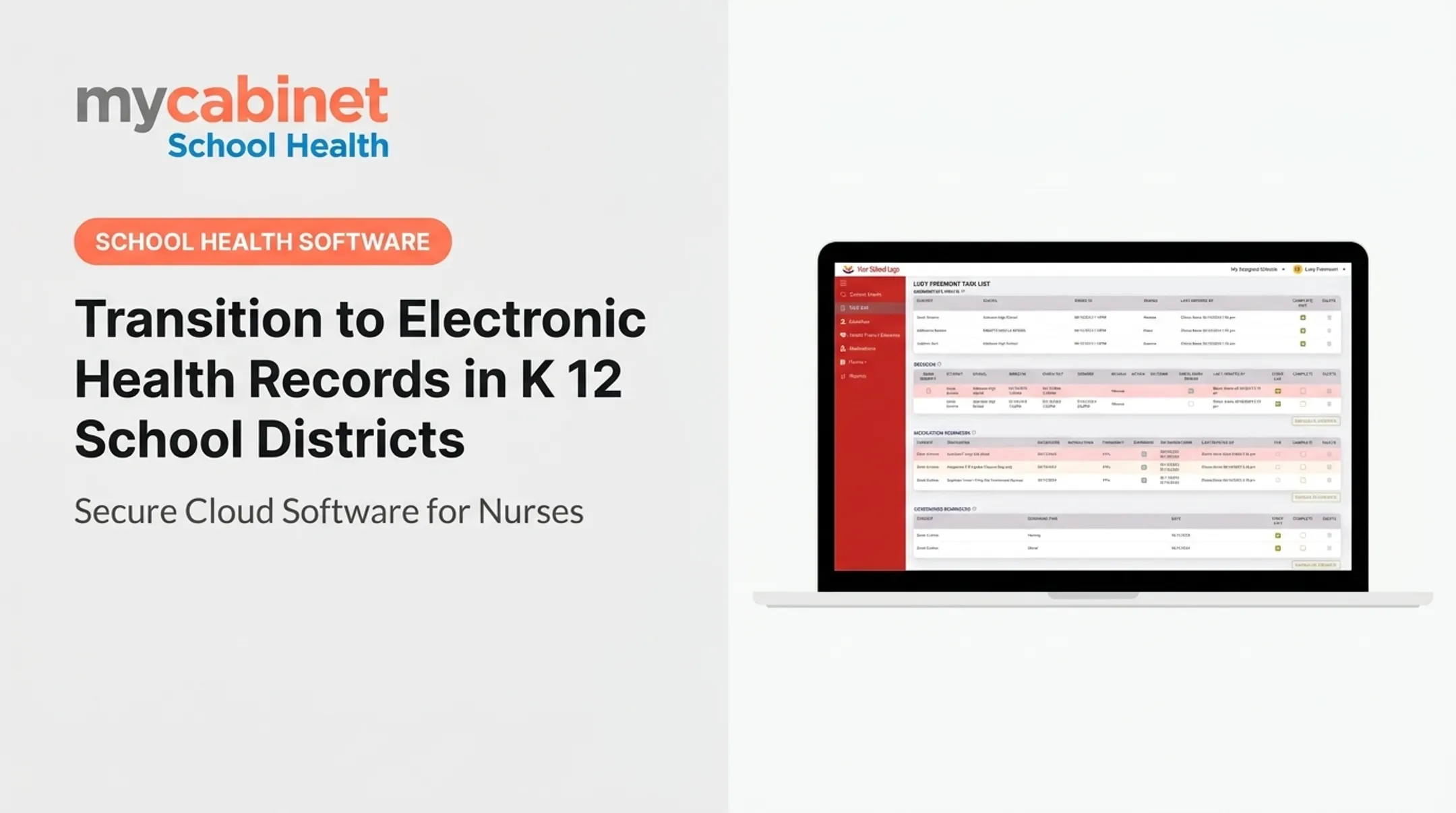
MyCabinet School Health's Nurse Portal organizes this through structured visit types and intelligent task lists that flag incomplete visits, rechecks, screenings, and follow-ups. Instead of a passive archive, the record becomes something nurses actively work from each day.

Safer Medication and Health-Information Management
Medication oversight is where fragmented systems create the most risk. An EHR puts dosage, frequency, authorization status, and expiration dates in one place to review at a glance.
That visibility supports fewer omissions and more consistent handoffs between staff. Software doesn't eliminate clinical risk, but it reduces the guesswork in tracking what's current and what's expired.
Worth monitoring:
- Medication-record completeness
- Follow-up on expired authorizations
- Timeliness of administration documentation
- Unresolved tasks and near-miss reporting
Role-based access and audit trails matter here too. They create accountability: who documented what, and when.
Better Communication, Family Engagement, and Coordinated Support
Controlled digital communication gives parents visibility into forms, clinic interactions, and medication needs—without becoming an open messaging system.
MyCabinet's Parent App and Parent Web Portal follow this model. Parents get one-way notifications about clinic visits and medication expirations, and can securely upload health forms for nurse review.
Families see only what needs their attention. Nurses spend less time on manual follow-up, and record access stays controlled rather than open-ended.
What Happens When an Effective EHR Is Missing or Ignored
Paper files, spreadsheets, fax machines, and manual email chains create real operational drag. Information becomes harder to locate, and duplicate data entry becomes routine rather than exceptional.
Common consequences of fragmented systems:
- Inconsistent documentation across staff and buildings
- Delayed follow-up on medication authorizations or forms
- Expired or incomplete medication information going unnoticed
- Higher administrative burden and more reactive problem-solving
- Difficulty proving what actions were actually taken
A study of school nurse EHR access in Colorado tracked 336 students whose records became viewable by school nurses between 2018 and 2020. With that access, nurses could retrieve updated medical information and school-related orders independently, without repeatedly contacting outside clinicians.
The authors caution that results may not generalize broadly, but the workflow benefit (less manual chasing) matches what many school health teams report.
Digitizing records without governance creates its own problems. Duplicate or outdated information, inappropriate access, weak retention practices, and unstructured uploads can undermine the system meant to fix the gaps. Digitization only works when paired with clear policies, staff training, and regular review.

How to Get the Most Value from an EHR
Value depends on adoption, not just the software's feature set. Start by mapping current workflows: how nurses receive forms, document visits, manage medications, communicate with parents, and report information.
Evaluation Checklist
Before selecting or configuring a system, review these areas:
- School-specific workflows – visit documentation, care plans, medication tracking, screenings
- Ease of use – mobile and browser access, minimal clicks for common tasks
- Task and expiration tracking – automated flags for incomplete or expiring items
- Digital forms and family communication – parent uploads, one-way notifications
- Reporting – immunization, screening, and compliance reports
- Role-based permissions and audit trails – who can see and change what
- Support and integration – SIS connections, onboarding help, ongoing updates
Define Success Before Launch
Set measurable targets before rollout, then compare baseline data against post-implementation results. Useful measures include:
- Time spent on administrative tasks
- Form-processing turnaround
- Medication follow-up completion
- Volume of unresolved tasks
- Parent response rates
- Staff adoption rates
Skip generic industry benchmarks. Your district's before-and-after numbers matter more than someone else's average.
Data Governance Isn't Optional
Strong governance includes:
- Least-privilege access configured by role
- Clear onboarding and offboarding procedures for staff
- Password and authentication requirements
- Defined retention rules and incident response steps
- Regular access reviews
- A documented process for correcting inaccurate records
Security and compliance criteria like these commonly carry heavy weight in school health EHR evaluations, alongside SOC 2 Type II certification, encryption, and FERPA support.
Roll Out in Phases
Once access rules and success metrics are in place, launch in phases rather than district-wide at once: pilot with a small nurse group, gather feedback, train thoroughly, then expand. Platforms designed around real school health workflows—such as MyCabinet School Health's connected Nurse Portal, Parent App, and Parent Web Portal—make that phased adoption easier to sustain.

Conclusion
An EHR earns its value through control, clarity, consistency, and timely access to student health information. Supporting the people who use those records every day matters more than converting paper to digital files.
The strongest results appear when structured records, workflow tools, medication oversight, secure communication, and appropriate access controls work together as one system rather than separate add-ons.
Districts evaluating a new platform should measure it against real nurse and family workflows, not just a feature checklist. Focus on:
- Privacy responsibilities and access controls
- Long-term usability for school nurses
- Whether the system reduces daily clinic friction
Frequently Asked Questions
How much does an electronic health record system cost?
Cost varies based on system scope, number of users or schools, implementation needs, integrations, and optional modules. Compare total cost of ownership and request pricing based on your district's specific requirements rather than relying on a universal figure.
What is an EHR integration?
Integration is the controlled exchange of data or workflow information between an EHR and another authorized system, such as a student information system. Standards, permissions, data mapping, and data quality determine how well that integration works in practice.
What's the difference between PM and EHR?
"PM" usually means practice management—administrative functions like scheduling and billing. An EHR focuses on clinical or health information, though some platforms combine both.
What is considered an electronic health record?
It's a structured digital record containing relevant health information, documentation, history, and updates that authorized users can access over time. This distinguishes it from an isolated scanned file or an unstructured document repository.
What types of data are stored in electronic health records?
Common categories include demographics, conditions, allergies, medications, immunization records, visit documentation, care plans, authorizations, and communications. Exact contents depend on the setting and who has permission to view them.
What are the data standards used in electronic health records?
Standards support consistent data structure, terminology, security, and exchange. Common examples include HL7 FHIR for interoperability and vocabularies like SNOMED CT or RxNorm for clinical terms. Requirements depend on what your district needs to exchange and with whom.