When information is scattered like this, nurses lose time they should be spending with students.
An integrated EHR solution for school health changes that. It connects visit documentation, medication management, digital forms, nurse task lists, and parent communication into one coordinated workflow instead of a patchwork of disconnected tools.
This article covers what integration actually means in a school setting, the capabilities districts should prioritize, and the questions worth asking before you sign a contract.
Key Takeaways
- Authorized users can document, review, and act on student health data in one connected workflow.
- The right platform cuts admin work while improving medication oversight, forms, and family communication.
- Evaluate usability, role-based access, FERPA and HIPAA fit, auditability, and implementation support.
- Keep parent access controlled and purpose-specific, not open-ended.
What Integrated EHR Means in K-12 School Health
Integration isn't the same thing as digitizing paper. A scanned PDF stored in a folder is still a static record. True integration means information captured in one workflow, such as a nurse visit, is immediately usable in related tasks. Medication review, follow-up scheduling, and parent notification should not require anyone to re-enter data.
The Office of the National Coordinator for Health IT frames this as secure, seamless exchange of health information among authorized users, not just storage. That's the bar school health platforms should meet too.
A Single Source of Truth for Student Health
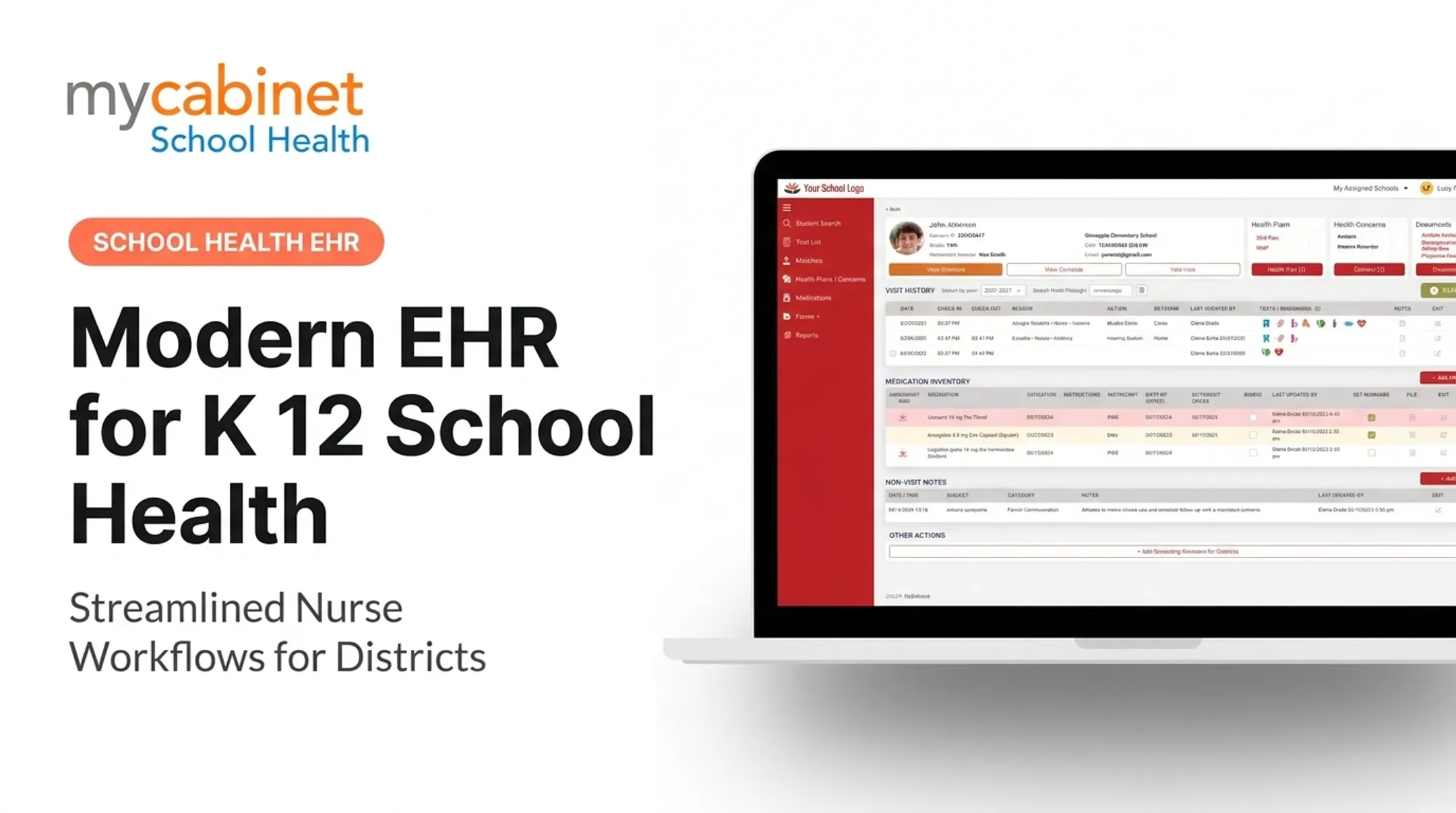
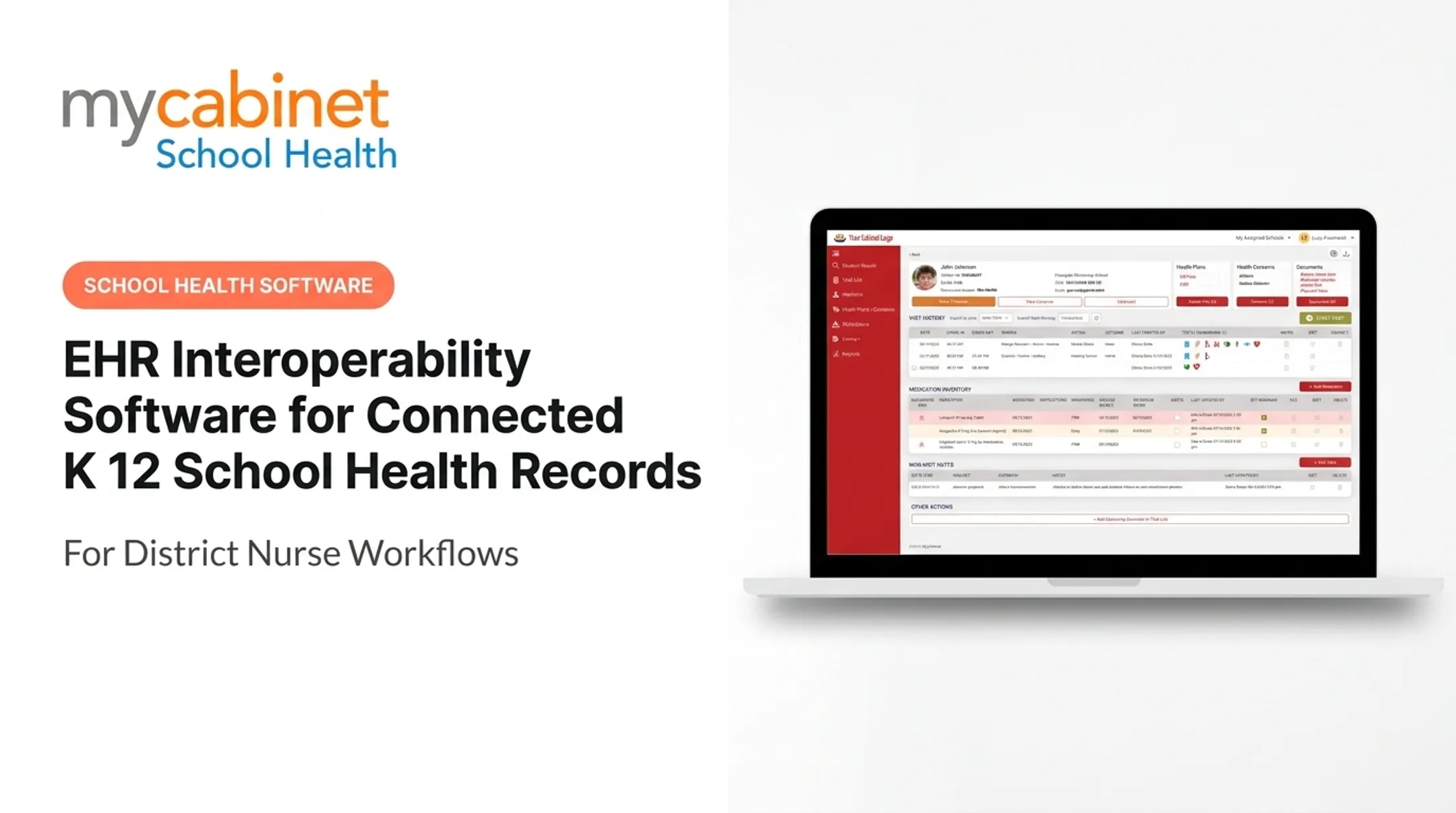
In practice, a student's allergies, medication instructions, active health forms, and follow-up tasks all live in one profile. Authorized staff can see what they need in the moment. No hunting through binders. No calling another office to confirm a dosage.
That shared profile only helps when the platform matches how school health actually runs.
How School Health Differs From Hospital EHRs
School health platforms serve a different audience than hospital systems. Primary users typically include:
- School nurses and designated health staff
- Parents and guardians (with limited, controlled access)
- District administrators
Workflows center on health-office visits, medication administration, screenings, and forms, rather than diagnostic coding or inpatient charting. Unlike hospital EMRs, school health systems must handle high student volumes with thin staffing. A single nurse often covers an entire building.
A quick example: A student visits the health office with a headache. The nurse documents the visit, notices a medication authorization is expiring, and flags a follow-up recheck. The system logs everything to that student's profile. If configured, an authorized notification can go to the parent. That's integration doing its job.

One caution: not every platform connects to a student information system, immunization registry, or outside EHR. Confirm any integration claim against the vendor's current documentation rather than assuming it.
Why Integrated EHR Solutions Matter for K-12 Schools
School nurses keep health records for more than 95% of US school-aged children, covering everything from screenings and immunizations to daily care for students with asthma, severe allergies, and Type 1 diabetes. That's an enormous amount of information to manage without structured tools.
Cutting the Administrative Load
Integration replaces repetitive paper handling, manual data entry, and scattered reminder lists with structured workflows. Task lists can automatically surface:
- Incomplete visit documentation
- Rechecks that are due
- Expiring medication authorizations
- Pending forms and screenings
That visibility matters because unstructured tracking (sticky notes, spreadsheets, memory) is where things fall through the cracks.
Safer Medication Oversight
Medication errors remain a real concern in schools. A 2022 study of six years of statewide data from North Carolina's Annual School Health Services and Programs Survey found districts reported an average of 78 medication errors requiring medical intervention annually.
More frequent medication audits were associated with fewer errors. Integrated platforms support that oversight by putting dosage, frequency, expiration dates, and outreach history in one place for authorized staff—instead of scattered paper logs.
Benefits for Families and Districts
Integrated EHR workflows help both sides of the school health relationship:
- Families get clearer access to approved health information and simpler digital form submission
- Districts get consistent processes across schools and better reporting visibility
- Documentation stays stronger and easier to review when a record is questioned
Essential Capabilities of an Integrated K-12 School Health EHR
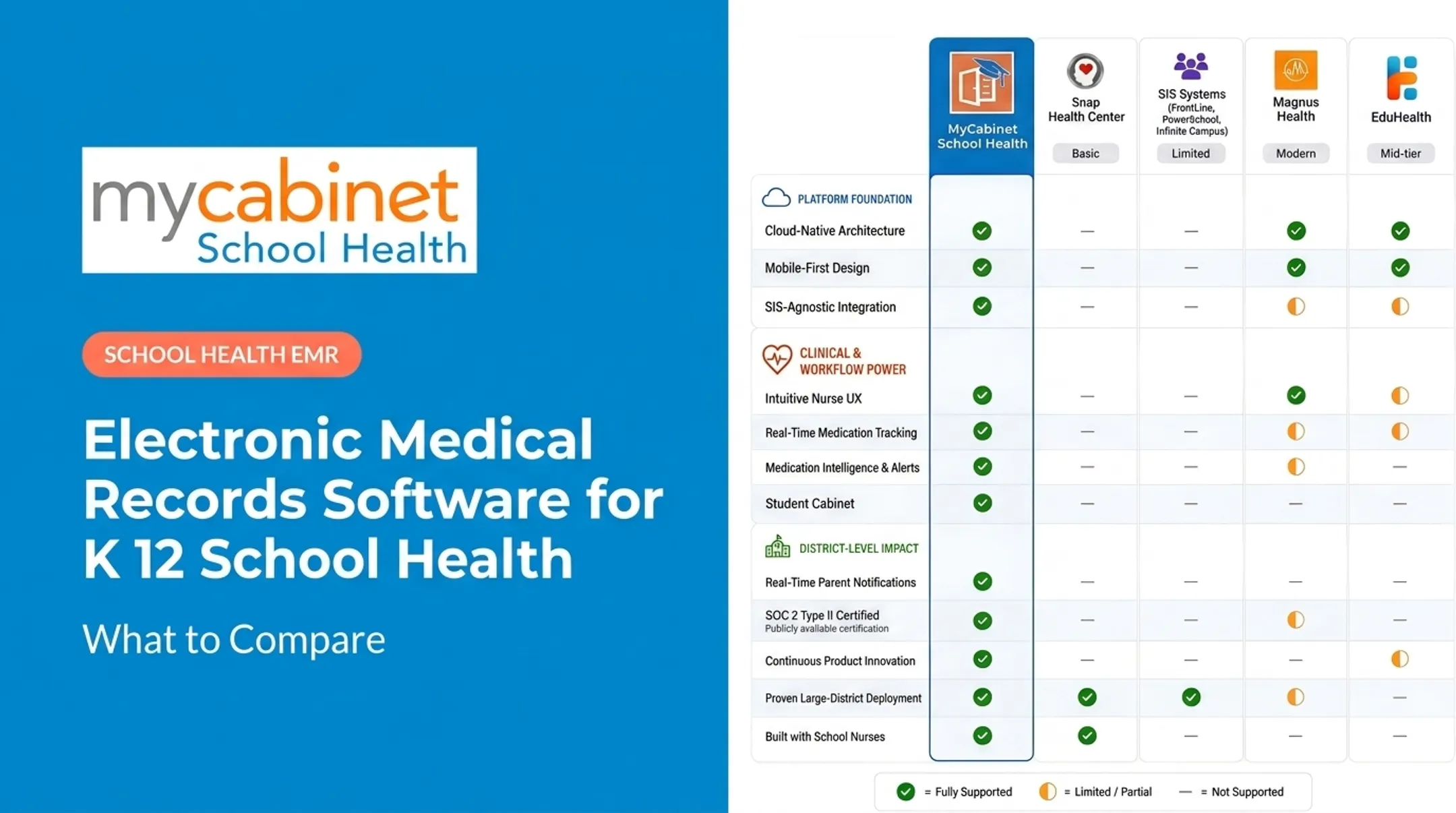
Not every feature matters equally. Here's what to prioritize, organized by the workflow each one supports.
Structured Visit Documentation
Look for predefined visit types, searchable student profiles, and audit trails. These should support consistent charting without adding extra clicks. A nurse handling dozens of visits a day—sometimes hundreds a week—needs documentation that's fast, not just thorough.
Medication Management
Medication errors and lapsed authorizations carry real risk, so this area needs the closest review. Strong platforms include:
- Medication profiles with dosage and frequency visibility
- Authorization records and expiration tracking
- Administration documentation tied to the student's profile
- A logged history of parent outreach (date, method, notes)
MyCabinet School Health, for example, ties medication documentation directly to each student's health profile and tracks expirations so nurses aren't relying on memory or spreadsheets to catch a lapsed authorization.
Task Management That Actually Works
Incomplete visits, rechecks, screenings, and expiring forms shouldn't live in someone's inbox. Effective platforms use visual cues, like color-coded task lists, so nurses can triage quickly during busy stretches rather than scrolling through an undifferentiated to-do list.
Digital Forms and Parent Engagement
Health forms should move digitally end to end:
- Parent uploads the form
- Nurse reviews it in-system
- Approval or rejection is recorded
- The form attaches automatically to the student record
Renewal reminders should go out before a form lapses, not after.
Parent access comes through a mobile app or web portal offering:
- One-way notifications (clinic visits, medication expirations)
- Secure form uploads
- Visibility limited to their own child's information
MyCabinet School Health delivers this through a connected three-part system: a Nurse Portal for clinical workflows, a Parent App, and a Parent Web Portal for families who prefer browser access—with one-way notifications and no nurse visibility into the parent app.

Role-Based Access and Administration
Permissions should be configurable by role, whether nurse, designated staff, parent, or district administrator, with audit logs and the ability to remove access immediately when someone's role changes.
Other Areas Districts Evaluate
Districts also expect these areas to be covered:
- Role-based staff alerts, so a teacher sees "has an epinephrine plan" without the full chart, with printable emergency cards for field trips and evacuations
- Administrative controls covering role management, district and school hierarchy, substitute coverage, retention schedules, year-end rollover, and audit logs
How Districts Should Evaluate and Implement a Solution
Buying a platform without mapping your actual workflows first is where implementations go sideways.
Start With Workflow Discovery
Interview nurses, health coordinators, IT staff, and families about current processes and where they break down. Treat this as required groundwork. Build your requirements list from what you learn.
Build a Requirements List From Real Scenarios
Ground your evaluation in actual situations:
- New student intake and record transfer
- Illness and injury visits, including documentation speed
- Medication administration, from authorization to dosing
- Screenings (vision, hearing, scoliosis)
- Chronic condition support and emergency care plans
- End-of-year record handling and archiving
Evaluate Usability Where Nurses Actually Work
Test the platform during simulated high-volume periods, not a quiet demo. Check charting speed, mobile versus browser access, search quality, and how many steps a common task takes.
Plan Data Migration Before You Sign
Ask vendors for a written migration plan covering validation, backups, data ownership, and how inaccurate records get corrected. Confirm how the system handles duplicate prevention and enrollment changes.
Roll Out in Phases
Use a staged sequence with nurse feedback built into each stage:
- Configuration
- Pilot testing
- User acceptance testing
- Training
- District-wide deployment
Define success without inflating expectations. Track concrete measures such as:
- Documentation completion rates
- Time spent locating records
- Medication follow-up rates
- User adoption
Skip vague promises of "efficiency."
Districts evaluating a unified platform for nurses, students, and parents should ask for a workflow-focused demonstration. Walk through your actual scenarios rather than a generic feature tour.
Security, Privacy, and Compliance Considerations
Student health data carries real legal and reputational risk if it is mishandled. Before you sign a contract, confirm the vendor can support:
- Encryption in transit and at rest
- Secure authentication and role-based access
- Access logging and audit trails
- Reliable backups and recovery
- Clear vendor security documentation
HIPAA and FERPA Aren't Interchangeable
Joint federal guidance clarifies that most elementary and secondary schools are not HIPAA-covered entities when their only health records are FERPA education records. HIPAA excludes FERPA-protected records from its definition of protected health information.
Private schools that do not receive Department of Education funding may face different rules. Applicability still depends on your programs and data flows, so involve privacy counsel or compliance leadership rather than assuming one framework covers everything.
Build a Compliance Checklist That Includes State Law
Beyond federal rules, check:
- State student privacy laws (vary and change often)
- District policies on parent and staff access
- Data sharing, retention, and disclosure rules
- Records request procedures
Vendor credentials help you shortlist platforms, but they do not replace your own review. MyCabinet School Health is HIPAA compliant, FERPA compliant, and AICPA SOC 2 certified—useful proof points that still require district legal and vendor-risk sign-off.

Questions worth asking any vendor:
- What permission model is used, and how is it audited?
- Who verifies parent identity before access is granted?
- How is data transmitted, stored, and encrypted?
- What controls govern subcontractors?
- What happens to district data at contract end—retrieval and deletion?
Conclusion
An integrated EHR for K-12 school health should connect people, records, and actions around the nurse's actual workflow, not just move paper charts onto a screen.
When evaluating platforms, prioritize:
- Purpose-built school health workflows
- Real medication and form oversight
- Controlled family access
- Nurse usability
- Clear compliance documentation
Map one school's current health workflow, identify where the friction actually lives, and compare platforms against those specific requirements before planning a wider rollout.
Frequently Asked Questions
What does it mean to integrate EHR systems?
Integration connects health data and workflows so authorized users see consistent, current information without re-entering it. In a school setting, that means a nurse visit, medication update, or parent-submitted form is instantly usable across related tasks.
What features should a K-12 school health EHR include?
Look for structured visit documentation, medication tracking, digital forms, and task management. Also prioritize secure parent access, role-based permissions, audit trails, and reporting for district-wide compliance.
How does an integrated EHR support school nurses?
Connected records and automated task lists cut down on duplicate work and surface follow-ups that might otherwise get missed. That frees up more time for nurses to focus on students instead of paperwork.
How do HIPAA and FERPA apply to school health records?
Applicability depends on the school, program, and how data flows between parties. Most public K-12 records fall under FERPA rather than HIPAA, but districts should confirm this with their own legal counsel.
What should a district consider before implementing an integrated EHR?
Start with workflow discovery, then build requirements around real scenarios like intake, medication administration, and screenings. Plan data migration, permissions, training, and a phased rollout with measurable goals before going district-wide.