Introduction
Choosing an electronic medical record (EMR) for a large school district is not the same project as digitizing a single school nurse's notes. The system has to coordinate student health records, medication workflows, digital forms, family communication, and permissions across dozens or hundreds of campuses at once.
Many districts still lean on paper charts, shared spreadsheets, fax machines, and email threads to track student health information. That combination creates real problems:
- Incomplete or fragmented records when students transfer between schools
- Inconsistent documentation practices from nurse to nurse
- Delayed follow-up on medication renewals and screening results
- Little to no district-wide visibility into health trends or compliance gaps
This guide covers the requirements that matter most for large districts: school health functionality, scalability, interoperability, security and compliance, usability, and reporting—plus how to evaluate vendors before you sign a contract.
Key Takeaways
- Centralized district governance must coexist with independent campus-level nurse workflows.
- Require structured documentation, medication oversight, digital forms, controlled parent communication, task management, and audit trails.
- Weight security, role-based access, and FERPA/HIPAA compliance equal to clinical features.
- Test the system with real workflows, real user roles, and multiple campuses before you procure it.
Core EMR Software System Requirements for Large K–12 School Districts
What Makes School-Health EMRs Different
A generic EMR built for clinics or hospitals doesn't map cleanly onto school nursing. According to the National Association of School Nurses' position statement on electronic health records, an effective school-health EHR maintains a secure legal record while supporting the nursing process, organized recordkeeping, error prevention, and fast retrieval.
Before reviewing vendors, districts should document exactly what a "record" needs to contain:
- Student demographics, allergies, chronic conditions, and care plans
- Nurse encounter notes with structured, searchable fields
- Immunization and screening history
- Attachments for parent-submitted documentation
- Configurable forms, task lists, alerts, and approval steps
- Retention rules that satisfy state records requirements
Multi-School Administration
Large districts need district-level control without stripping schools of day-to-day flexibility. Requirements should include:
- Separate work queues and caseloads by campus
- Staff assignment by school, plus substitute or float-nurse access
- Clean handling of student transfers and enrollment changes
- District-wide visibility for supervisors without mixing campus workflows
Medication Management Workflows
Medication oversight is where paper systems fail most visibly. Requirements should cover:
- Authorization capture, dosage, and frequency by student
- Administration and storage records with timestamps
- Expiration tracking with automated renewal outreach
- Documentation of refusals or missed doses
- Escalation paths when an issue goes unresolved
MyCabinet School Health, for example, keeps expiration tracking, dosage and frequency, and outreach logging inside the student health profile so nurses are not chasing lapsed authorizations across spreadsheets.
Parent and Family Requirements
Parent-facing tools matter only when they reduce nurse follow-up without opening the health record too wide. District requirements typically include:
- Digital health-form completion and consent capture
- Parent document uploads for nurse review and attachment
- Clear limits on what families can view or receive
- Multilingual support where the student population needs it
- Controlled, one-way notifications rather than open messaging threads
Scalability, Multi-Campus Administration, and Interoperability
Performance and Infrastructure That Won't Bottleneck Nurses
A district-wide system has to handle concurrent logins during first-period rushes, seasonal spikes like flu season, and growth as new schools come online. Multi-campus administration matters as much as raw capacity: one district instance should support school-level access so nurses work in their building while district leaders keep full oversight.

Ask vendors directly about:
- Uptime and availability targets, in writing
- Backup and disaster recovery procedures
- Maintenance windows and how they're communicated
- Mobile or browser access, including offline procedures during downtime
Don't accept vague reassurances here. NIST's contingency planning guidance recommends evaluating systems and operations specifically to determine backup, recovery, and continuity requirements — treat this as something you verify in a contract, not a marketing claim.
Data Exchange and Standards
Interoperability reduces duplicate entry, but only if it's a live integration rather than a manual file transfer. Ask which of these your shortlist actually supports:
| Standard/Method | What it covers |
|---|---|
| HL7 FHIR | Healthcare information exchange between clinical systems |
| Ed-Fi | K-12 data standard; student health domain currently limited to immunizations |
| Single sign-on (SAML, OAuth, LTI) | Identity provider integration for staff and student accounts |
| SIS integration | Enrollment, transfer, and roster synchronization |
MyCabinet School Health, as a ClassLink Certified Partner, supports single sign-on integration and SIS synchronization while keeping sensitive health data in its own environment rather than folding it into the broader SIS ecosystem.
Migrating Legacy Records
Data migration deserves its own line item in any RFP. Require vendors to address:
- Duplicate student matching across legacy systems
- Historical medication and visit data
- Document attachments
- Validation and reconciliation steps
- Accessible audit history after go-live
Security, Privacy, Compliance, and Governance Requirements
Core Technical Safeguards
Large districts should require these baseline controls in any school health EMR:
- Role-based access with least-privilege permissions
- Multifactor authentication
- Encryption in transit and at rest
- Session timeouts and full audit logs
- Secure backups and a documented incident-response plan
FERPA, HIPAA, and State Privacy Laws
This is where districts get tripped up. Joint guidance from the U.S. Department of Education and HHS makes clear that health and immunization records maintained by a school nurse employed by a FERPA-covered school are FERPA education records, not HIPAA records, even when a vendor markets itself as "HIPAA compliant."
That distinction matters for parent access rights, disclosure rules, and consent requirements. Layer on state-specific laws too:

- New York's Education Law 2-d requires data-security contracts with third-party vendors
- Colorado's Student Data Transparency and Security Act and breach-notification law set separate obligations
- Every state has its own immunization-reporting and records-retention rules
Never assume compliance is automatic just because a vendor uses the word.
Vendor Due-Diligence Checklist
Request these documents before signing anything:
- SOC 2 report: the actual audit, its scope, covered period, and any exceptions, not just a "SOC 2 Type II" logo
- Business Associate Agreement: required whenever HIPAA-covered PHI is involved
- Security architecture details: subprocessors, data hosting, and encryption approach
- Breach history and disaster-recovery test evidence: prior incidents, remediation, and recent DR test results
Access Governance
Districts need granular models that separate clinical, administrative, and technical privileges. District administrators, nurses, health aides, principals, IT staff, and parents should not share one view of student health data.
Effective access models typically:
- Limit parents to their own child’s records
- Restrict nurse and staff views to care-related need
- Place technical-team access under strict oversight and logging
MyCabinet School Health applies that model with role-based permissions so each group sees only what their role requires.
School-Health Workflow and Usability Requirements
A Day in the Life of a School Nurse
Map any candidate system against an actual nurse's day. Core tasks include:
- Review the task list
- Triage a walk-in visit
- Document assessment and intervention
- Log medication administration
- Schedule a recheck
- Contact an authorized parent
- Close or escalate the task If a system adds screens instead of removing them, it's the wrong fit. Those same shifts stay consistent when the EMR supports structured visit types, reusable templates, required-field controls, timestamps, and audit trails—without turning documentation into a chore.

Medication Safety Workflows
Medication work is part of that same day, so profiles must surface what the nurse needs at the point of care:
- Allergies and contraindications
- Authorization expiration alerts
- Dosage, frequency, and administration history
- Outreach logging and escalation when something is unresolved Be cautious of vendors implying clinical decision support unless that capability is explicitly documented in their materials.
Digital Forms and Parent Communication
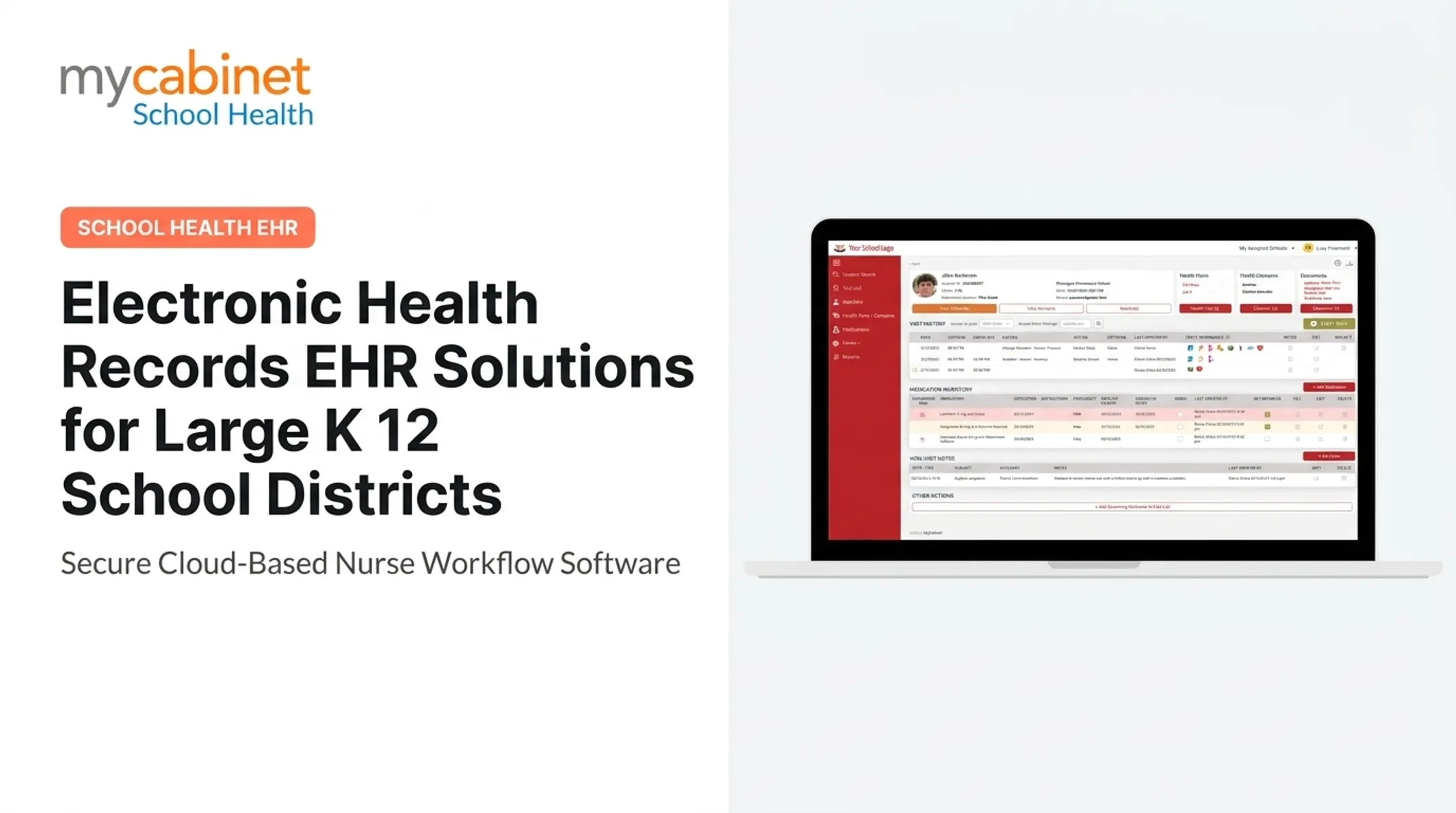
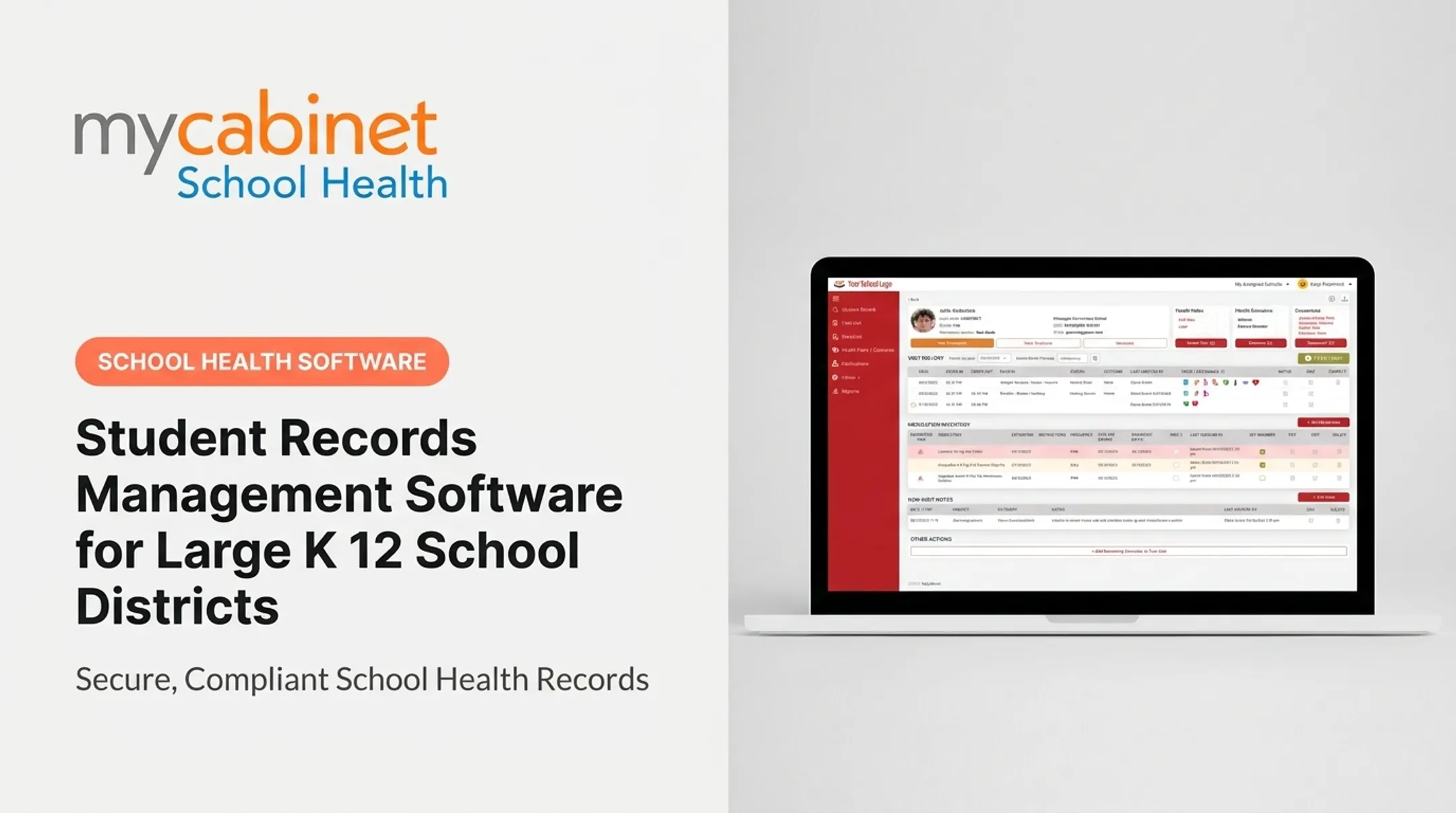
Digital forms should flow from parent completion through nurse review, approval or rejection, record attachment, and renewal reminders, all stored securely. MyCabinet School Health's Nurse Portal manages this alongside visits, medications, and screenings through a single workflow-driven task list. Its Parent App and Parent Web Portal let families upload required forms without a school visit. Parent communication should be one-way by design where appropriate:
- Notification history and delivery status tracking
- Configurable templates for common alerts
- Safeguards against disclosure to unauthorized recipients No open chat streams. MyCabinet School Health sends one-way notifications for clinic visits and medication expirations specifically to avoid that risk.
Reporting, Analytics, and District Oversight
District leaders need visibility that individual nurses don't require day-to-day. That includes visit trends, medication activity, incomplete documentation, expiring authorizations, and immunization or form status across every campus.
Requirements to look for:
- Configurable dashboards and filters by school, grade, or condition
- Scheduled report exports with de-identified or aggregated views for planning
- Clear data dictionaries defining each metric
- Role-based limits so reports don't expose more student data than a user needs
MyCabinet School Health's reporting and compliance tools include dashboards for state mandates, immunization compliance, Medicaid documentation, and custom reports. The same views support a nurse's follow-up list and district-wide compliance reviews without over-exposing individual records.
Vendor Evaluation and Implementation Checklist
Building Your Requirements Checklist
Gather input from nurses, IT, privacy officers, administrators, and families before you talk to a single vendor. Separate must-haves from nice-to-haves, then score every vendor against the same list:
- FERPA-aligned access controls and audit trails
- SIS and SSO integration paths your IT team will support
- Medication, forms, and notification workflows nurses use daily
- Reporting your board and compliance officers actually need
The CoSN K-12 Community Vendor Assessment Tool offers a structured framework for evaluating data security and cybersecurity policies during procurement.
Running a Scripted Demo
Don't accept a generic sales walkthrough. Script it yourself using scenarios your district actually faces:
- Enrolling a new student mid-year
- A medication authorization expiring during a school break
- A parent submitting a health form through the app
- A student transferring between schools
- A substitute nurse needing temporary access
- An urgent communication going out district-wide
- Pulling a compliance report for the school board
Implementation and Rollout
Confirm the vendor's plan covers:
- Configuration and data migration
- SIS, SSO, and related integrations
- Role-based training for nurses, admins, and substitutes
- Support escalations and adoption metrics you will track
Pilot at a few representative schools before a district-wide rollout.
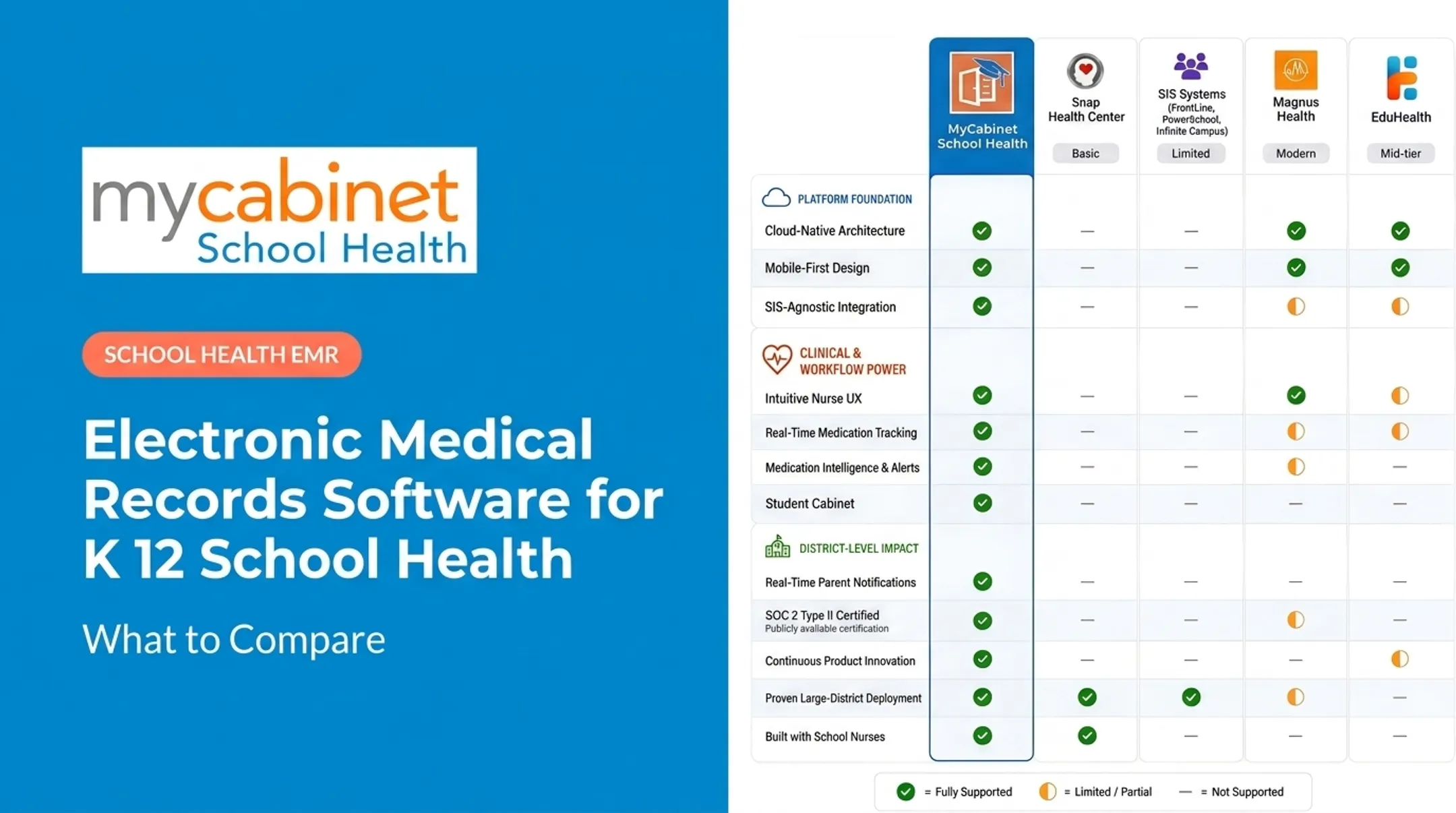
MyCabinet School Health's connected structure (Nurse Portal, Parent App, and Parent Web Portal) is one model districts can score against those requirements. Cobb County School District is one example of a large system evaluating medication oversight, digital forms, and controlled notifications that need to work together.
Feature sets change, so confirm current capabilities with any vendor before procurement. No single platform fits every staffing model or workflow.
Frequently Asked Questions
What are the EHR requirements?
Define functional, technical, security, interoperability, usability, reporting, and implementation requirements up front. Adapt them to school nursing workflows instead of copying hospital EHR checklists.
What are the five functional components of an EHR?
Most frameworks cover clinical documentation, student information management, medication and care coordination, communication and engagement, and reporting or decision support. Vendors may group these functions differently.
How long does EMR implementation take for a large district?
Timelines vary by district size, data migration complexity, and integration needs. Expect configuration, migration, and role-based training to run several weeks to a few months, plus pilot testing before full rollout.
Does a school-health EMR need to be HIPAA compliant?
Often no, not in the way many districts expect. School nurse records under FERPA are typically education records, not HIPAA PHI, though many vendors still apply HIPAA-grade safeguards as an extra security layer.