But the shift hasn't eliminated confusion. Many people use "EHR" and "EMR" interchangeably, when they actually mean different things. Others aren't sure what an "EHR document" or "EHR template" even refers to.
This guide breaks down the definitions, the real differences between EHR and EMR, the features that matter, and how school health settings — like those served by MyCabinet — use purpose-built systems to manage student care.
Key Takeaways
- EHR means Electronic Health Record: a comprehensive, shareable digital health record
- EMRs stay within one practice; EHRs are designed to move across providers and organizations
- Look for documentation tools, decision support, and strong security controls
- School health environments need specialized EHRs built around student workflows, not adapted clinical software
- The right choice depends on your setting, compliance needs, and who's using the system daily
What Is an Electronic Health Record (EHR) System?
An EHR is a digital, shareable version of a person's complete health history. That includes diagnoses, medications, lab results, treatment plans, and clinical notes gathered over time. The Office of the National Coordinator for Health Information Technology (ONC) defines it as a comprehensive record accessible to authorized providers across care settings — not just one office.
Cross-provider access is the defining trait. A paper chart stuck in one office, or a digital file that can't travel with the person, is not a true EHR.
Documents and Templates: The Building Blocks
Two terms often trip people up:
- EHR document — the structured digital file tied to an individual's profile, containing visit notes, forms, and clinical data
- EHR template — predefined fields used to chart specific visit types, such as a wellness check or medication administration record
Templates exist to speed up charting and standardize what gets captured, so nothing important gets skipped during a rushed visit.
How This Translates to School Health
In a school setting, the person on file is a student. The EHR structure adapts accordingly, organizing records around health office visits, medication administration, screenings, and follow-up rechecks rather than scheduled clinic appointments.
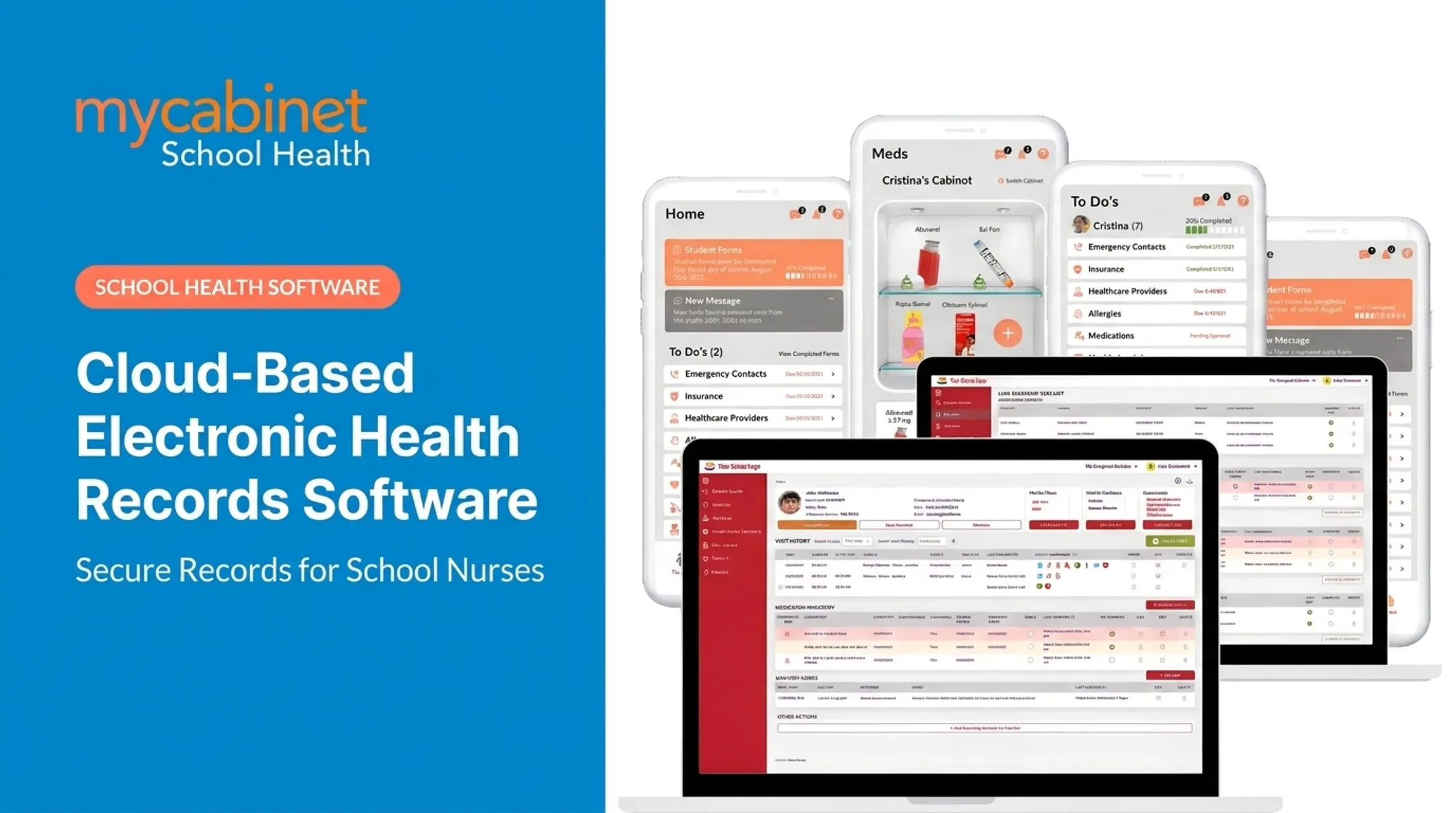
MyCabinet School Health, for example, builds each student's record around visit history, health plans, medication inventory, screening results, and documents—all tied to a single profile nurses can act on quickly.
Compliance Standards to Know
- HIPAA — applies to healthcare providers and covered entities
- FERPA — applies to student records maintained by schools or their contracted staff, including school nurses
HHS has clarified that student health records maintained by a school or by staff acting on the school's behalf fall under FERPA, not HIPAA, even when care happens off-site. When evaluating school health software, confirm FERPA alignment specifically—HIPAA compliance alone does not cover it.
EHR vs. EMR: What's the Real Difference?
An Electronic Medical Record (EMR) is the digital version of a clinician's paper chart, used within a single practice or institution. It holds one person's history, but it typically doesn't leave that office.
An Electronic Health Record (EHR) builds on that chart and is meant to move with the person across providers and settings. ONC's comparison is direct: an EMR is practice-centered, while an EHR is designed to extend beyond the organization that originally collected the data.
Here's the distinction in plain terms:
| Feature | EMR | EHR |
|---|---|---|
| Scope | Single practice/institution | Cross-provider, longitudinal |
| Shareability | Limited or none | Designed for authorized sharing |
| Built on | — | EMR functionality, plus interoperability |

Every EHR is technically built on EMR-style functionality. But not every EMR earns the "EHR" label, because many simply weren't built to share data outside their walls.
Why this matters for compliance: In regulated environments like healthcare and schools, record coordination isn't optional. A school nurse who can't share medication history with a hospital ER during an emergency is working with an incomplete picture. The same gap hits any provider who can't pull prior treatment notes. Interoperability directly affects care decisions.
Key Features to Look for in an EHR System
Not all EHRs are built the same, and a school health office evaluates them differently from a clinical practice. Districts generally look across these areas:
- Student health record: demographics synced from the SIS, allergies, chronic conditions, health history, and the Individualized Health Plans, Emergency Action Plans, and 504 or IEP health components that follow a student between schools
- Visit documentation: predefined visit types covering reason, assessment, vitals, interventions, and disposition, fast enough for a nurse seeing 50 or more students a day
- Medication management: orders with prescriber authorization and parent consent, an electronic MAR built on the five rights, inventory and expiration tracking, and controlled substance counts
- Immunization compliance: tracking against state requirements by grade, exemptions, compliance letters, and integration with the state registry
- Screenings and referrals: vision, hearing, scoliosis, dental, and BMI screenings with batch entry, referral letters, and follow-up until the referral closes
- Parent and staff communication: a secure portal with e-signature for consents, plus role-based alerts so a teacher sees "has an epinephrine plan" without the full chart
- Reporting: state-mandated reports, immunization and screening compliance, visit trends, and district-level dashboards
- Security and access: FERPA-aligned handling of education records, role-based access, audit trails, and independent verification such as SOC 2 Type 2

Why Structured Documentation Actually Matters
A 2022 study comparing structured and unstructured clinical notes found structured documentation scored significantly higher on quality metrics: 77.2 versus 64.35 on a standardized scale. The study did not measure time savings directly.
The takeaway: templated documentation tends to produce more complete, more useful records, even if exact time savings vary by setting.
In school health specifically, this plays out through task-based workflows. MyCabinet's Nurse Portal surfaces incomplete visits, medication reminders, and screening tasks in a single dashboard with color-coded priorities. Nurses aren't relying on memory or manual chart reviews to catch what's due.
Examples of EHR/EMR Systems Across Healthcare Settings
Which EHR ranks as “most popular” depends on the care setting. According to Definitive Healthcare's October 2025 ambulatory market data, the leading vendors by installs include:
- Epic Systems — 19.5% of the ambulatory market
- eClinicalWorks — 11.9%
- athenahealth — 6.9%
- Oracle Cerner — 5.4%

Adoption patterns split further by organization type:
- Large hospital systems often choose Epic or Oracle Cerner, which also dominate acute-care settings
- Independent practices more often pick cloud platforms like athenahealth or eClinicalWorks, which typically cost less to implement and maintain
None of these figures cover school-health deployments. Schools run a different model: high student volume, nurse-led clinic workflows, FERPA-aligned student records, medication administration, and controlled parent communication. General ambulatory EHRs are built for billable clinical encounters—not daily school nurse operations—so districts usually need a purpose-built school health platform.
EHR Systems Built for School Health
Schools face record-keeping demands that general clinical EHRs weren't designed to handle: tracking medications for hundreds of students, collecting immunization records and health forms every year, and keeping parents informed , all without a licensed physician on-site for most of the day.
School nurses cover a lot of ground. Per NASN data, school health records provide a window into the health of over 95% of school-aged children in the US. That's a massive population managed by a workforce where, per NCES, only about half of public schools have a full-time nurse.
How Purpose-Built Platforms Organize Nurse Workflows
MyCabinet structures its Nurse Portal around intelligent task lists that flag:
- Incomplete or unfinished visits that still need documentation
- Recheck visits due after an initial clinic encounter
- Medication reminders and upcoming expirations
- Screening reminders tied to required school programs
Each student record centralizes visit history, health plans, medication inventory, documents, and screening results . Nurses can pull what they need in one place during a busy clinic visit instead of checking separate systems.

Digital Forms and FERPA-Aligned Access
Health-form collection starts with automated email campaigns that notify families of required documentation. Parents upload forms through a mobile app or web portal, nurses review and approve within the system, and approved documents attach directly to the student's record.
Access stays role-based throughout: parents see only their own child's information, nurses see only what's needed for care, and technical staff access data only for system maintenance under strict controls.
Connecting Nurses and Families
MyCabinet's Parent App and Parent Web Portal give families visibility into clinic visits, medications held at school, and expiration alerts without waiting on a phone call or paper note home. In districts such as Cobb County School District, parents can submit paperwork electronically and see when their child was seen and given medication.
That same workflow-first design reduces paper, fax, and spreadsheet tracking still common in school health offices, and keeps visit, medication, and form data in one daily-use system.
How to Choose the Right EHR System
Before comparing feature checklists, define what your environment actually needs. A hospital's requirements look nothing like a school's.
- Map your workflow first. Clinical practice, hospital system, or school health office — each has different volume, urgency, and staffing patterns that should shape your requirements.
- Confirm compliance fit. HIPAA for healthcare providers, FERPA for school-maintained student records, and ONC certification (CEHRT) where applicable.
- Evaluate real-world usability. Ask about implementation support, training resources (video walkthroughs, live sessions), and how quickly staff can actually adopt the system.
- Check communication capabilities. Confirm the platform reaches the people who need visibility — students, families, or school staff — through secure, appropriate channels.
A system that checks every technical box but nobody wants to use gets abandoned within a year, whether the user is a clinic manager or a school nurse covering three buildings. Usability and training support matter as much as the feature list.
Frequently Asked Questions
What is an electronic medical record (EMR) system in a school?
An EMR is a digital version of a clinician's paper chart, containing one person's medical and treatment history within a single practice. It typically doesn't extend beyond that one institution.
What does EHR stand for?
EHR stands for Electronic Health Record — a comprehensive, shareable digital health record designed to be accessed by authorized providers across multiple care settings.
What are the key features of EHR software?
Core features include structured documentation tools, clinical decision support with task alerts, and role-based security with audit trails. Together, these support efficient charting and data protection.
What is an EHR template?
An EHR template is a predefined set of structured fields used to chart specific visit types or encounters, like a clinic visit or medication administration record.
What are some examples of electronic medical record (EMR) systems?
Well-known examples include Epic, Oracle Cerner, athenahealth, and eClinicalWorks. Each serves different settings, from large hospitals to independent practices.
What is the most popular EHR system?
Popularity varies by setting. Epic leads both the acute-care and ambulatory markets overall, while athenahealth and eClinicalWorks are common choices among independent practices.