This guide breaks down the types of nursing documentation, the features a school charting system actually needs, and how to evaluate a platform built for K-12 health offices instead of acute care.
Key Takeaways
- Hospital EHRs (Epic, Cerner, MEDITECH) lack school workflows such as immunization tracking and parent apps
- Among six documentation formats, flowsheets and narrative charting fit school visits best
- Prioritize task automation, medication expiration tracking, and one-way parent alerts
- FERPA, not HIPAA, typically governs student health records in school settings
What Is a Nursing Charting System, and Why School Nursing Is Different
A nursing charting system is the software nurses use to document care encounters. The Office of the National Coordinator for Health IT draws a clear line between an EMR and an EHR: an EMR is a digital version of paper charts confined to one practice, while an EHR is designed to follow a patient across care settings and share data with other providers.
School nursing needs a specialized EHR built for that setting. NASN defines a school-nursing EHR as software designed for the nursing process, standardized data points, and FERPA/HIPAA safeguards.
Why Hospital EHRs Don't Fit School Health
Systems like Epic and Cerner were engineered for discrete, billable clinical encounters. School health looks nothing like that:
- Recurring visits: A student with a headache does not need a hospital-style intake
- Caseload views: Nurses who float between buildings need one screen for every student, not one chart at a time
- No billing workflow: School visits are not reimbursed like hospital encounters, so billing-heavy EHR architecture adds wasted overhead
What School Nurse Charting Actually Involves
A typical day covers a wide range of documentation tasks:
Clinic visits (illness, injury, headaches, stomachaches)
Medication administration and inventory
Vision, hearing, and scoliosis screenings
Immunization compliance tracking
Chronic condition care plans (asthma, diabetes, severe allergies)
Incident and injury reports
Parent communication and consent forms, a layer hospital nurses rarely handle directly
The 6 Common Types of Nursing Documentation School Nurses Should Know
Different visit types call for different documentation formats. Knowing when to use each one keeps charts clear and defensible.
| Format | What it is | School example |
|---|---|---|
| Narrative | Free-text summary of the encounter | Describing an injury on the playground |
| SOAP | Subjective, Objective, Assessment, Plan | Documenting a student's asthma flare-up |
| PIE | Problem-Intervention-Evaluation | Tracking a recurring headache complaint |
| Focus/DAR | Data-Action-Response centered on a specific concern | Monitoring a diabetic student's blood sugar check |
| Charting by exception | Only documenting deviations from normal | Routine medication administration with no issues |
| Flowsheet/structured | Standardized fields for repeat data entry | Daily vital signs or medication logs |

Structured flowsheets work best for routine clinic visits. Narrative charting still has a place for incidents and injuries, where context and sequence matter more than standardized fields.
Whatever format is used, NASN's documentation-quality standard applies: notes should be timely, accurate, legible, complete, retrievable, and securely protected.
Many nurses also run a simple mental checklist on every entry, regardless of format:
- Capture the student's own words
- Stay clear and concise
- Keep entries chronological
- Protect confidentiality
Consistent visit-type documentation (headache, medication, injury, illness) matters beyond the individual chart. It builds the audit trail districts need for compliance reporting and liability protection.
Must-Have Features in a School Nurse Charting System
Not every EHR feature matters equally in a school setting. Here's what matters most for a busy health office.
Intelligent Task Organization
A system should surface what's outstanding without nurses hunting for it:
- Incomplete tasks and follow-up visits
- Student rechecks
- Medication reminders
- Screening reminders
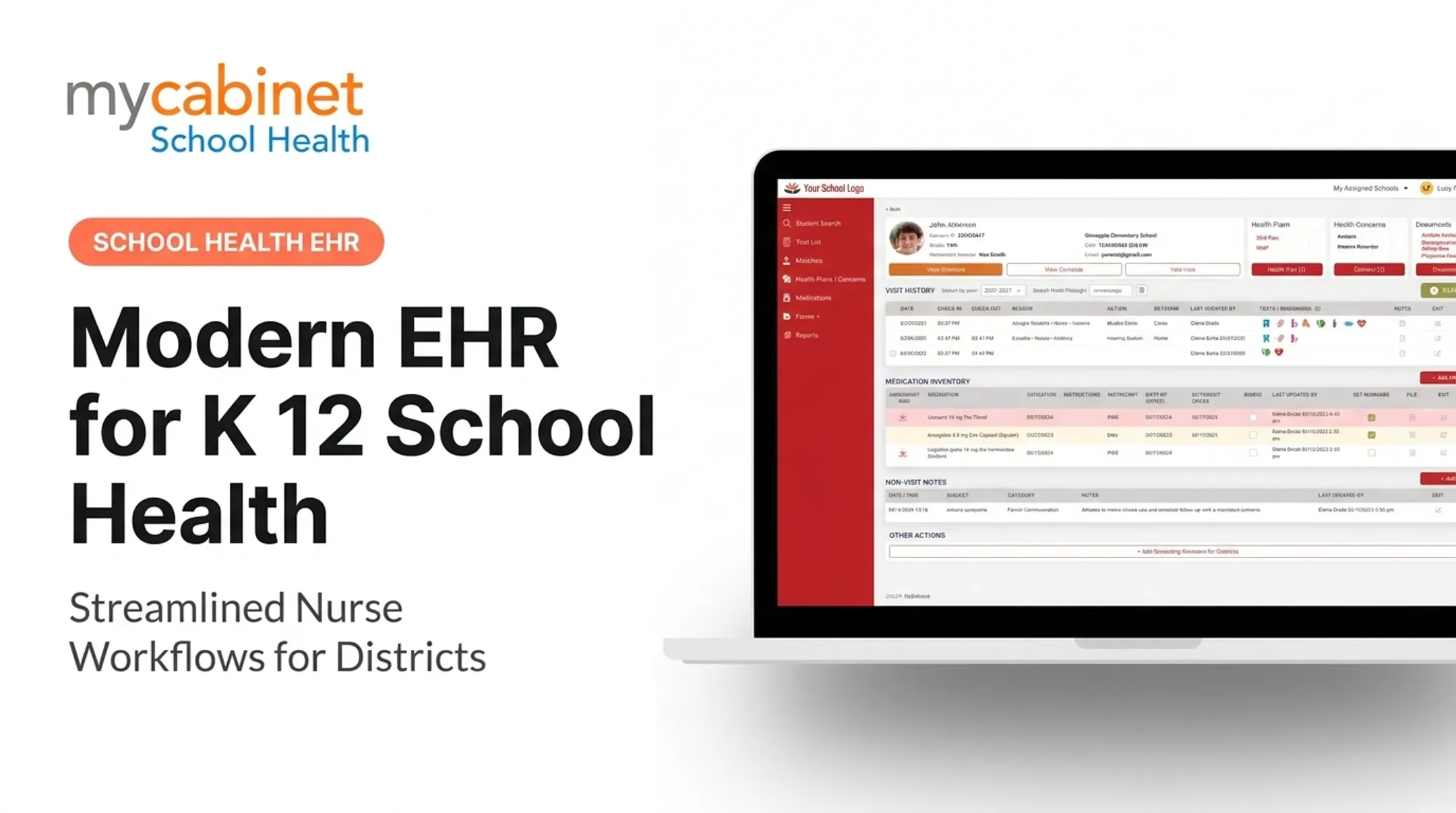
MyCabinet School Health's Nurse Portal, for example, organizes these into dashboard tables so nothing slips through during a hectic clinic day.

Structured Documentation With Audit Trails
Predefined visit types speed up charting and create consistency across a district. Combined with audit trails and activity logs, this gives administrators a defensible record if a parent or state auditor asks questions later.
Medication Management
Medication tracking needs to go beyond a static list. Look for:
- Dosage and frequency visibility at a glance
- Expiration tracking, with alerts before medication lapses
- Administration and outreach logging tied to the student's profile
Digital Health-Form Collection
Paper consent forms and faxed immunization records are a persistent headache for school offices. A platform that lets parents upload forms directly, with nurse review before the document attaches to the student's record, removes a major bottleneck.
Role-Based Access and Parent Notifications
Districts need controlled visibility, not open access. Effective systems provide:
- Role-based permissions across staff types
- One-way parent notifications for clinic visits and medication expirations
- Mobile app and web portal access so families can choose either channel
MyCabinet School Health was built around these workflows, connecting its Nurse Portal, Parent App, and Parent Web Portal in one system.

Cobb County Superintendent Chris Ragsdale noted that the platform digitized documentation and let parents submit health paperwork electronically, while also seeing when their child was seen and given medication.
Other Areas Districts Evaluate
Districts also expect these areas to be covered:
- Immunization and screening compliance tracked against state requirements, with referral follow-up until closed
- Chronic condition tools for diabetes, asthma, seizures, and anaphylaxis, plus staff training records
- Role-based alerts so teachers and chaperones see need-to-know information without the full chart
- Medicaid documentation with billable codes, consent tracking, and claims-ready exports
- Administrative controls: role management, substitute coverage, retention, rollover, and audit logs
How to Choose the Right Charting System for Your School or District
Selecting a platform means testing it against real school-day chaos, not a hospital demo script.
- Test it against walk-in volume. An unannounced scraped knee mid-morning is routine in most health offices. Confirm the system handles rapid, unscheduled entries without friction.
- Confirm district-wide reporting capability. State health departments require immunization compliance data and screening completion tracking. Ask whether the system supports custom and state-specific reporting, not just individual student records.
- Ask about parent engagement tools directly. Paper slips, faxes, and email chains still clog most school health offices. A dedicated parent app with real-time alerts closes that gap better than generic messaging tools.
Compliance, Security, and Safety Considerations
Student health records sit at an unusual intersection of privacy law.
According to HHS, when a school nurse works for or under the direct control of a FERPA-covered school, that student's health records are typically treated as education records under FERPA, not HIPAA, regardless of whether care happens on or off school grounds.
That distinction matters when evaluating a vendor's compliance claims. Look for:
- SOC 2 Type II certification — independently audited controls, tested over time rather than just designed on paper
- HIPAA and FERPA compliance commitments, ideally with documented role-based access, audit logs, and encryption
- Isolation of health data from broader student information systems, so clinic records stay behind tighter controls than general SIS access

Safety features matter as much as certifications. Strong charting systems support medication verification, allergy alerts, and clear audit trails so nurses can catch errors before they reach the student.
Moving off paper, spreadsheets, and manual email follow-up cuts compliance risk and lightens the administrative load nurses carry every day.
Frequently Asked Questions
What charting system do nurses use?
Hospital nurses commonly use Epic, Oracle Health/Cerner, or MEDITECH. School nurses need purpose-built platforms like MyCabinet, designed around student visits, medication tracking, and parent communication instead of billable clinical encounters.
What is a good charting app for nurses?
It depends on the setting. For school nurses, prioritize mobile and web access, task organization, and parent-facing communication tools over generic hospital EHR apps.
What are the 6 common types of nursing documentation?
Narrative, SOAP, PIE, Focus/DAR, charting by exception, and flowsheet charting. Structured flowsheets fit routine school visits best, while narrative works well for incidents.
What are the 6 C's of charting?
Client's words, Clear, Complete, Concise, Chronological, and Confidential — a quick-reference standard nurses can apply to any documentation format.
Do school nurses need a dedicated EHR system, or can they use a hospital EHR?
Hospital EHRs lack school-specific workflows like immunization tracking and parent apps. Purpose-built platforms handle high-volume, walk-in visits and district-wide reporting far more effectively.
How does a school health platform improve parent communication?
Through controlled, one-way notifications and parent portals that show families clinic visit summaries and medication status, without opening unrestricted messaging that could compromise student privacy.