The 2024 National School Nurse Workforce Study estimated 78,869 school-nurse FTEs nationwide, based on responses from 2,827 schools (Journal of School Nursing, 2024). That's a lot of clinics running on tools built for hospitals, not hallways.
EMR nursing, in a school context, means using electronic records to document, track, and manage every student health encounter, from a skinned knee to a daily insulin dose. School health has its own rhythm, and its own workflow needs.
This article breaks down what EMR nursing looks like in schools, which workflows benefit most, and what features to look for when evaluating a system.
Key Takeaways
- School EMR workflows give nurses real-time documentation, medication tracking, and secure parent communication
- Generic clinical EMRs often miss school-specific needs like immunization compliance and parent-uploaded forms
- A school-focused EHR cuts paperwork, strengthens medication safety, and gives parents clearer care visibility
- Prioritize role-based access, FERPA/HIPAA alignment, and structured visit documentation
What Is EMR Nursing in a School Setting
EMR nursing describes how nurses document care and manage workflows inside an electronic medical record. In a hospital, that means charting encounters tied to a physician's orders and billing codes. In a school, the job looks entirely different.
School nurses:
- Manage large, dispersed student populations across grade levels
- Coordinate with families, not attending physicians
- Handle non-emergency care, medication administration, and screenings within short windows between classes
Schools are replacing paper logs and scattered spreadsheets with centralized digital systems. The Office of the National Coordinator for Health IT draws a clear line: an EMR is a digital chart within one practice, while an EHR is designed to follow the patient and exchange data across providers (ONC, 2011).
School health platforms tend to blend both concepts. They function like a single-practice EMR for daily documentation but connect outward to parents and, when needed, outside providers.

Why School Nursing Needs a Different Approach
Enterprise systems like Epic or Cerner-style platforms were built for clinical encounters and billing cycles. That's a poor match for a school clinic, where a nurse might see 30 students in a morning for headaches, medication doses, and quick assessments.
The National Association of School Nurses (NASN) has been direct about this gap: academic student-information systems with basic "health modules" often lack the nursing process, standardized data, or confidentiality protections a real school EHR needs (NASN, 2024).
What school nurses actually need:
- Medication expiration tracking without a manual calendar
- A way to receive and review parent-submitted health forms digitally
- Visit documentation without hospital-grade administrative overhead
Core School Nurse Workflows Supported by EMR Systems
A well-built school EMR organizes the entire clinic day, not just individual charts.
Structured visit documentation
Predefined visit types and audit trails let nurses log encounters quickly and consistently. MyCabinet uses structured visit flows built for school documentation needs—not adapted hospital templates—so nurses avoid extra fields and pop-ups during busy clinic periods.
Medication management
Dosage and frequency stay visible inside the student's health profile, while expiration alerts and outreach logging remove the need for memory or manual tracking. NASN's 2021 medication guideline pushes for standardized error reporting and regular audits (NASN, 2021) — goals that automated tracking meets far more reliably than sticky notes.
Digital health-form collection
Parents upload immunization records, allergy action plans, and physician orders directly into the system. Nurses review and approve them, and the records attach straight to the student's file—no fax machine or paper folder required.
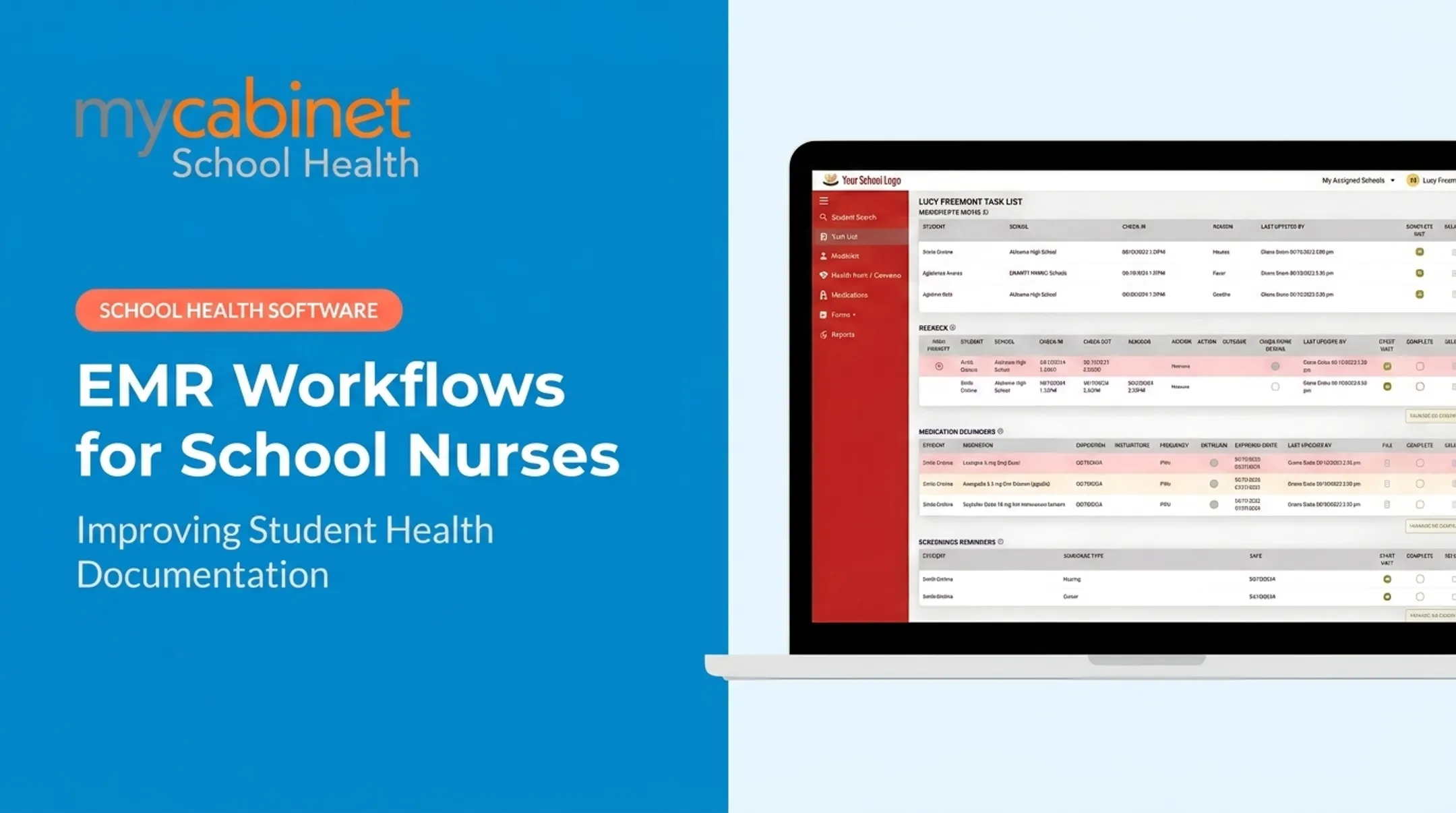
Intelligent task lists
These automatically surface:
- Incomplete visits needing follow-up
- Rechecks after initial encounters
- Medication reminders and expirations
- Upcoming screening reminders
Those lists carry real weight at scale. CDC's most recent SchoolVaxView data shows kindergarten vaccination coverage ranging from 92.0% to 92.4% across DTaP, MMR, and polio, with roughly 280,000 kindergartners missing documented MMR completion (CDC, 2024). Tracking gaps like that manually, across hundreds of students, isn't realistic.

Role-based access
Staff, nurses, and administrators see only what's relevant to their role, supporting FERPA-aligned confidentiality without extra manual gatekeeping.
Parent communication
One-way notifications for clinic visits or medication expirations cut down on phone tag. A push notification or email lets a parent know their child visited the clinic, without opening a two-way messaging thread the nurse has to monitor.
Key Features to Look for in a School Health EMR
Not every EMR labeled "school health" actually functions that way. Here's what separates a workflow-first system from a repurposed clinical tool.
- Action-oriented design. Prioritize nurse task lists over static document storage so nurses can move fast between students instead of digging through menus.
- Structured, defined visit types. Keep documentation consistent and simplify district compliance reporting.
- Connected parent access. Offer a mobile app or web portal so families can view basic health information and receive controlled notifications. MyCabinet pairs this with its Nurse Portal for a shared, limited view of the same record.
- Security certifications. Look for HIPAA and FERPA compliance plus SOC 2 certification. FERPA generally governs school-held health records, while HIPAA applies when an outside covered provider is involved (HHS, FERPA/HIPAA FAQ).
- Medication management. Orders with prescriber authorization and parent consent, an electronic MAR built on the five rights, inventory counts, and expiration alerts, since this is the area districts scrutinize most.
- Immunization and screening compliance. Tracking against state requirements by grade, exemptions and conditional enrollment, compliance letters, state registry integration, and batch entry for vision, hearing, scoliosis, and BMI screenings with referral follow-up.
- Role-based staff alerts. Teachers, substitutes, coaches, and chaperones need need-to-know information such as "has an epinephrine plan" without access to the full chart, plus printable emergency cards for field trips.
- District-level scalability. Serve a single school clinic and scale to a full district without losing functionality.
MyCabinet partners such as Cobb County School District have used the platform to digitize documentation, accept parent paperwork electronically, and show families when their child was treated.

Benefits of Adopting EMR Nursing Practices in Schools
School EMR adoption delivers concrete operational gains:
- Consolidated records mean nurses spend less time hunting through binders or spreadsheets and more time with students
- Automated dosage, frequency, and expiration tracking replaces manual logs prone to human error
- Structured, controlled communication keeps parents informed without overwhelming nurses with open-ended messaging
NASN frames these as design goals for a proper school EHR: better retrievability, error prevention, and usable population data (NASN, 2024).
Independently measured, district-wide ROI numbers are still thin in published research. Track your own baseline (documentation time, form turnaround, alert response) before and after adoption.
Common Challenges and Best Practices for Implementation
Switching from paper or spreadsheets rarely fails on software alone. The usual snags are messy historical data, staff still split between old and new workflows, and tools built for clinics—not school health offices.
These practices keep rollout on track:
- Choose a vendor built for schools. Generic clinical EMRs often need expensive customization to fit school workflows. A platform designed with nurse input from the start avoids that cost.
- Start with the basics. Get core documentation and medication tracking running before layering on screenings or reporting dashboards.
- Plan for data migration. Migrate only what's actively needed rather than every historical record at once.
- Align rollout with the school calendar. Pilot with a small group of schools before district-wide deployment to limit disruption.

Frequently Asked Questions
What are the top EMR systems used in nursing?
Hospitals and clinics typically rely on large enterprise EMRs like Epic or Cerner. School health settings are better served by purpose-built platforms, such as MyCabinet School Health, designed specifically around nurse and parent workflows.
What is the difference between an EMR and an EHR in school nursing?
An EMR typically holds records for a single organization, while an EHR is built for broader interoperability across providers. School health platforms often combine both into one nurse-and-parent-connected system.
How does an EMR help school nurses manage medications?
It tracks dosage and frequency directly in the student's health profile, flags upcoming expirations, and logs outreach like calls or emails related to medication renewals.
Is student health data in an EMR protected under FERPA and HIPAA?
School health EMRs should meet both FERPA and HIPAA privacy requirements. FERPA usually governs the student records the school itself maintains.
Can parents access their child's school health records through an EMR?
Many platforms, including MyCabinet, offer controlled, one-way parent notifications along with app or web-portal access to clinic visits and school-held medications.
How long does it take to implement an EMR in a school or district?
Timelines vary by district size and staff involvement. A phased rollout aligned with the school year, starting small and expanding gradually, works best for most districts.