Here's the problem: many buyers and students of healthcare technology throw around "EMR" and "EHR" interchangeably, then get confused when a hospital-grade system doesn't fit a small clinic — or a school.
This article breaks down what an EMR actually is, how it differs from an EHR, and walks through real examples across specialties and settings, including school health.
Key Takeaways
- An EMR is a digital chart kept inside one practice or organization—it is not shared automatically with outside systems.
- EMR examples differ by how they are hosted (on-premise, cloud, SaaS) and by specialty, from hospitals and community clinics to dental and school health.
- Pick the system that fits your workflow, meets HIPAA and FERPA requirements, and matches the population you serve.
What Is an EMR System?
An EMR (electronic medical record) is the digital version of the paper chart that used to sit in a clinician's filing cabinet. According to the Office of the National Coordinator for Health Information Technology (ONC), it holds a patient's medical and treatment history within one practice — diagnoses, medications, allergies, notes, and treatment plans.
EMRs centralize this information so staff can pull it up instantly instead of digging through folders. That alone cuts down on lost records and transcription errors.
Common Uses of EMR Software
Most EMRs handle a similar core set of jobs:
- Centralizing health information in one searchable place
- Coordinating care among staff within the same practice
- Supporting e-prescribing so medication orders go out electronically
- Managing administrative documentation and visit notes
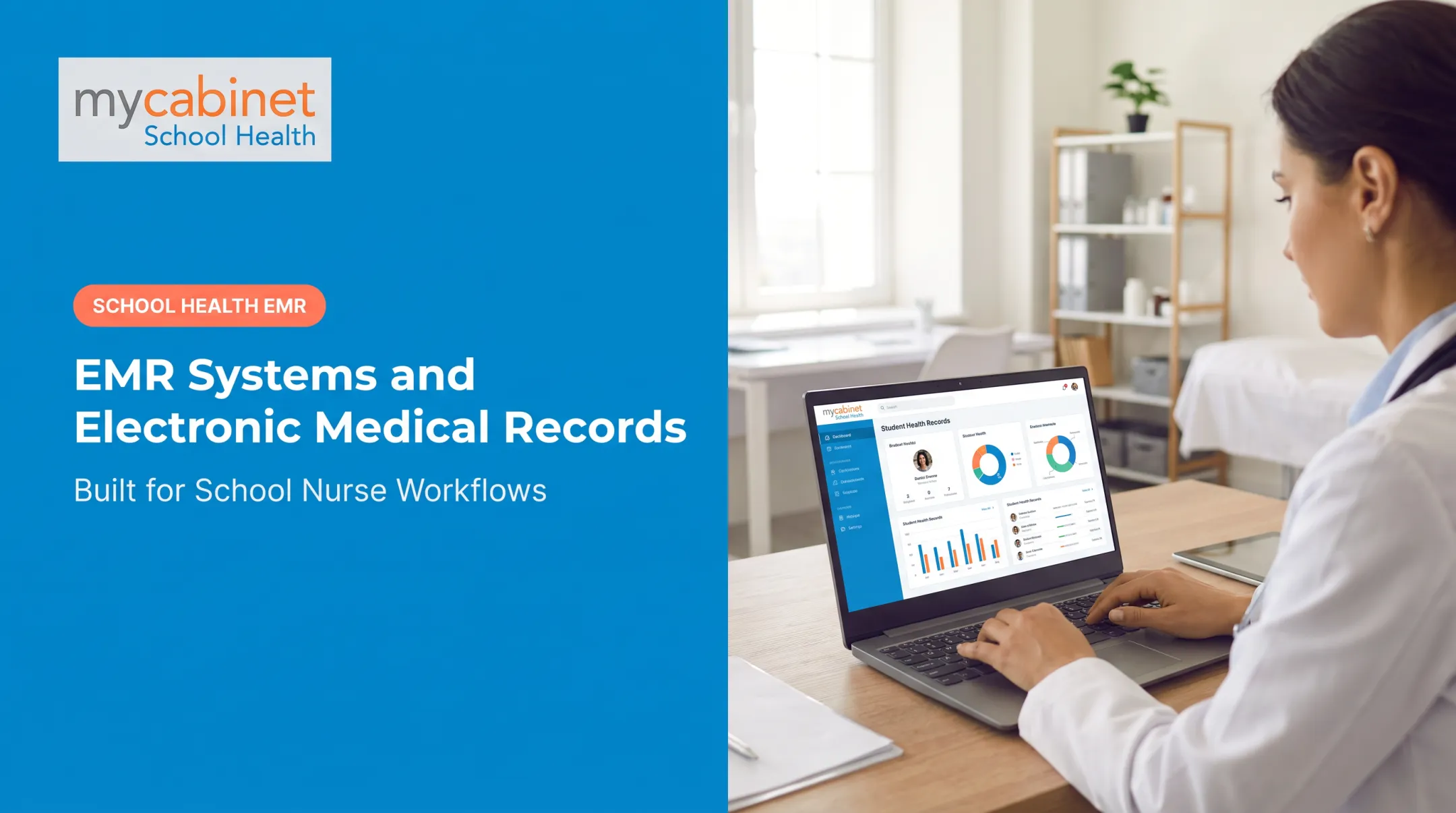
School health platforms follow this same pattern, just tailored to a different population. MyCabinet School Health, for example, centralizes student health records, visits, medications, and allergies in one digital system built specifically around school workflows rather than clinical ones.
EMR vs EHR: Understanding the Difference
Every EHR is technically built on EMR foundations. The difference comes down to reach.
- EMR: Stays inside one organization; usually limited to a single provider or practice
- EHR: Shares data with labs, specialists, and other providers across care settings
ONC's current guidance confirms this split: EMRs stay local, while EHRs cover records across care settings.
In everyday conversation, people use the terms interchangeably. That's fine for casual talk, but not for procurement.
When evaluating a system, ask directly: Does this platform share data outside its home organization, or does it stay contained?
For a district evaluating school health software, that question matters. Buyer's guides for school health EHRs increasingly treat strong interoperability, including SIS integrations and data portability, as a core requirement rather than a nice-to-have.
Types and Examples of EMR Systems by Deployment Model
Not all EMRs are hosted the same way. The deployment model affects cost, control, and IT burden more than it affects clinical function.
| Model | How it works | Best fit |
|---|---|---|
| On-premise | Hosted on the organization's own servers | Large hospitals with dedicated IT teams |
| ASP (hosted) | Vendor-hosted, accessed remotely | Mid-size organizations wanting less local infrastructure |
| SaaS | Vendor-hosted, auto-updated, low maintenance | Small-to-mid practices, most common model today |
| Cloud-based | Browser-accessible, scalable | New practices, schools, and clinics with lower upfront budgets |
On-premise systems give hospitals maximum control over security and infrastructure, but they come with real overhead: hardware, upgrades, backups, all managed internally.
Most smaller organizations skip that overhead. SaaS and cloud-based models have become the default for smaller organizations and schools, with lower upfront investment, automatic updates, and no server room required. MyCabinet School Health, for instance, operates as a cloud-based SaaS platform with a companion mobile app, so no installation is needed on district hardware.
The deployment choice usually comes down to organization size and IT resources, not clinical need. A rural school district and a solo dental practice might land on the same model for very different reasons.
Real-World EMR Examples, From Specialty Clinics to School Health
Concrete product examples show how EMR design changes by care setting — and why a strong hospital system can still fail in a school clinic.
Hospital and Health-System EMRs
Epic and Oracle Health (formerly Cerner) dominate large hospital systems and multi-specialty groups. Epic's software catalog covers health systems, clinics, and post-acute care, and Definitive Healthcare ranks Epic first in ambulatory installations at 19.5% market share.
These platforms need heavy configuration for niche departmental workflows. That flexibility helps large organizations and overwhelms small ones.

Clinic-Based and Ambulatory EMRs
eClinicalWorks and athenahealth serve primary care and specialty clinics broadly. Both are cloud-based and designed to scale from small practices to enterprise health systems. They're flexible general-purpose tools, not systems built around one specialty's exact workflows.
Specialty-Built EMRs
That gap is why many specialties abandon generic templates. Rehab clinics, for example, often choose purpose-built systems with SOAP documentation and Medicare compliance built in.
"Best EMR" is not universal. Fit depends on the specialty's documentation rules, compliance needs, and daily workflow.
School Health EMR: MyCabinet School Health
School nurses work under a different reality than hospital staff: high student volumes, limited staffing, and FERPA obligations alongside HIPAA. Generic clinical EMRs were not built for that setting.
MyCabinet School Health was designed specifically for K-12 districts. Its structure centers on three connected pieces:
- Nurse Portal: manages visits, medications, screenings, and follow-ups through task-based workflows
- Parent App: sends one-way visit and medication-expiration notices; accepts health-form uploads for nurse review
- Parent Web Portal: gives parents browser access without installing an app
Rather than adapting a hospital chart to fit a school nurse's office, the platform was built around nurse workflows, medication tracking, and controlled parent communication from the start.

A system built for hospital or clinic workflows often pushes school nurses around unused features and past the ones they need. Purpose-built platforms for rehab, aesthetics, or school health reduce that administrative drag because the workflows already match the job.
Key Features to Look for When Evaluating an EMR
Whether you're choosing a system for a clinic or a school district, a few categories matter most.
Compliance and Security
- HIPAA compliance (and FERPA for school settings)
- Encryption of stored and transmitted data
- Audit trails for every record access
- Role-based access control to restrict record visibility by role
In school health evaluations, security and compliance criteria are often weighted around 30% of the total scoring.
Usability and Workflow Fit
Look for an intuitive interface with a minimal training curve. Task organization should surface work automatically rather than relying on manual checks:
- Visit tracking
- Medication expiration alerts
- Screening reminders
MyCabinet's task lists, for example, use color-coding to flag incomplete visits and expiring medications so nurses aren't hunting for what's urgent.

Interoperability and Communication Tools
- SIS integrations and data portability for districts
- Parent engagement features like portals and mobile apps
- Controlled, structured communication rather than open-ended messaging
Reporting and Documentation Structure
Strong documentation features support day-to-day decisions, not just year-end audits:
- Predefined visit types
- Clean audit trails
- Compliance-ready reporting
Other Areas Districts Evaluate
Districts also expect these areas to be covered:
- Immunization compliance against state requirements, with exemptions, compliance letters, and registry integration
- Chronic condition tools for diabetes, asthma, seizures, and anaphylaxis, including staff training records
- Role-based staff alerts for teachers, coaches, and chaperones, plus printable emergency cards
- Medicaid billable service capture, consent tracking, and claims-ready exports
- Administrative controls: role and hierarchy management, substitute coverage, retention, rollover, and audit logs
Frequently Asked Questions
What is an example of an EMR?
A single clinician's office chart tracking one person's visits, medications, and history is a classic EMR example. In school health, MyCabinet School Health serves a similar role, digitizing student health records for a district.
What is the difference between EMR and EHR?
An EMR stays within one practice or organization. An EHR is built for interoperability, sharing data across multiple providers and care settings as a person moves through the system.
What are the 4 types of EMRs?
The four common deployment models are on-premise, ASP (application service provider), SaaS, and cloud-based. Each trades off cost, control, and maintenance differently.
What is the most popular EMR?
Epic and Oracle Health are commonly cited as the largest systems by hospital installations. That said, popularity shifts by setting — ambulatory clinics and schools often favor different, more specialized platforms.
Is EMR software HIPAA compliant?
Reputable EMRs are built with HIPAA-supporting safeguards, but compliance is shared between vendor and organization. A signed business associate agreement and proper configuration are both required, not optional extras.
How do schools use EMR/EHR systems differently than hospitals?
School health platforms like MyCabinet focus on nurse workflows, medication oversight, and FERPA-aligned parent communication rather than billing or cross-provider interoperability. The population, staffing, and regulations simply differ from a hospital setting.